




See It In Action
Dashboard and Registry
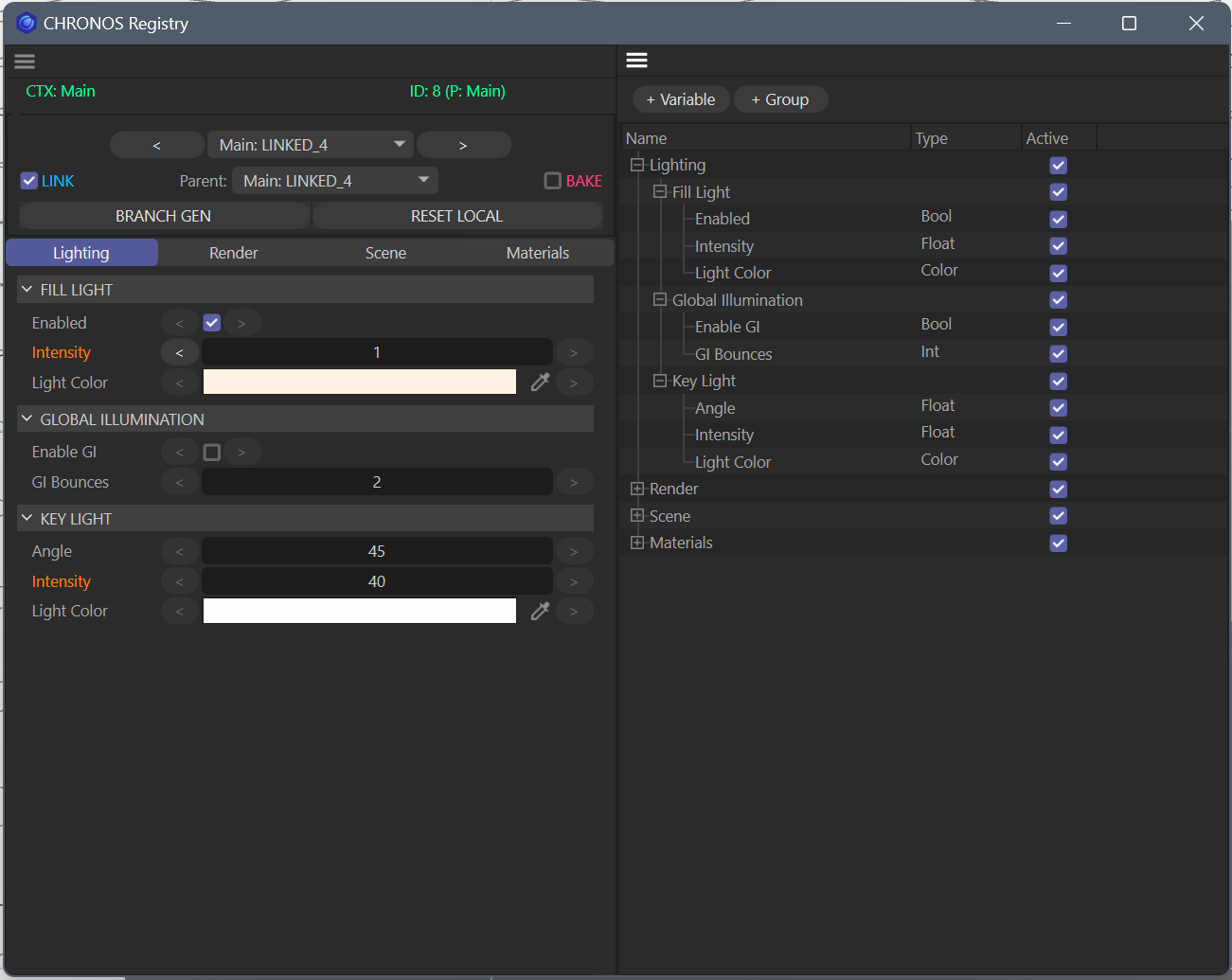 Dashboard (left) with a Linked Generation active — Lighting branch showing Fill Light, Global Illumination, and Key Light groups with their Variables. Registry (right) with the full Variable tree, types, and active states.
Generation List
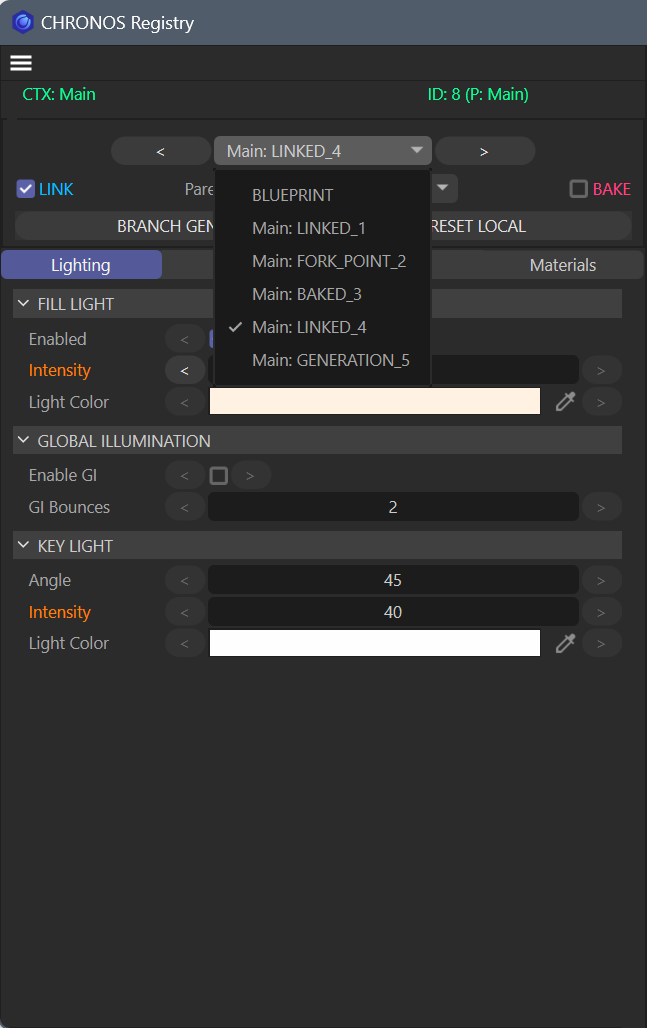 The Generation picker open — BLUEPRINT at the root, Linked, Baked, and Fork Point Generations listed. The active Generation shows a checkmark.
Linked vs Baked
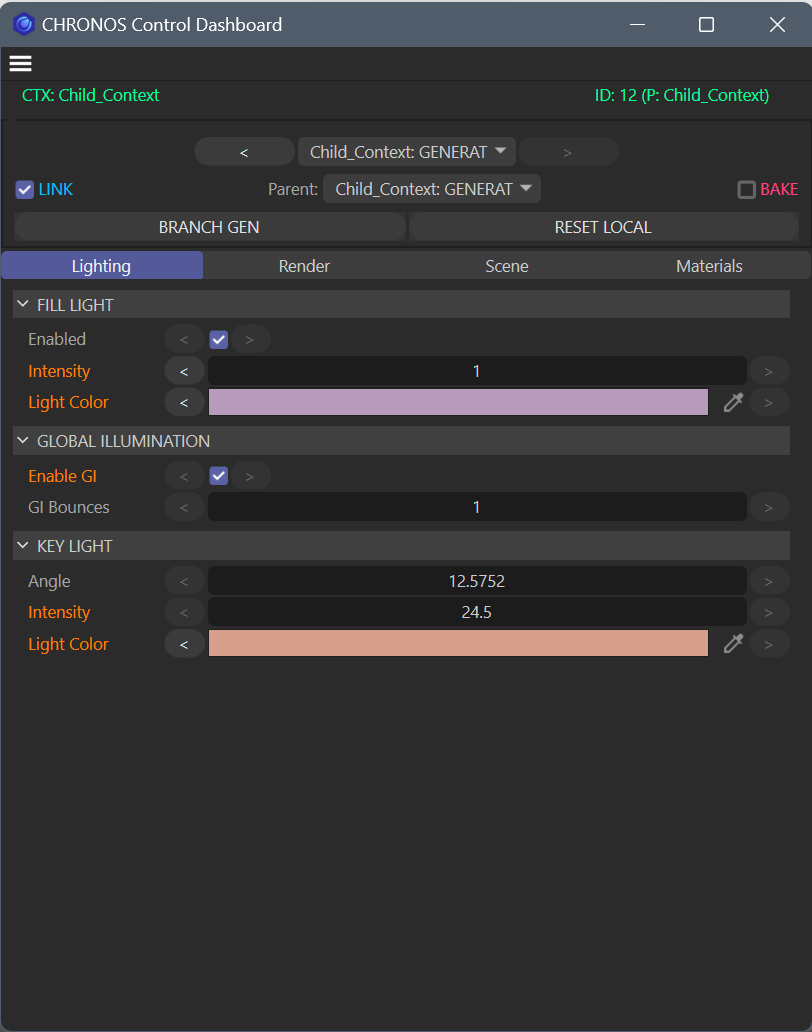 Linked Generation — LINK checked, orange labels show local overrides, plain labels inherit from parent.
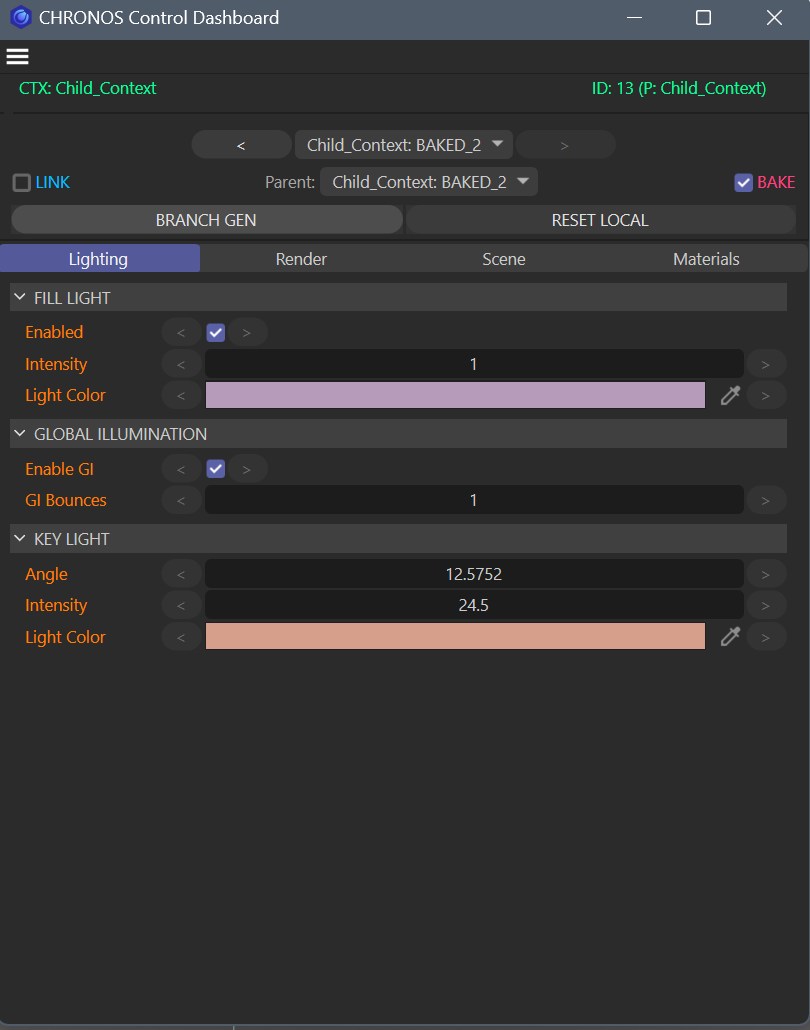 Baked Generation — BAKE checked, every Variable is explicitly sealed. No parent change can reach it.
Blueprint
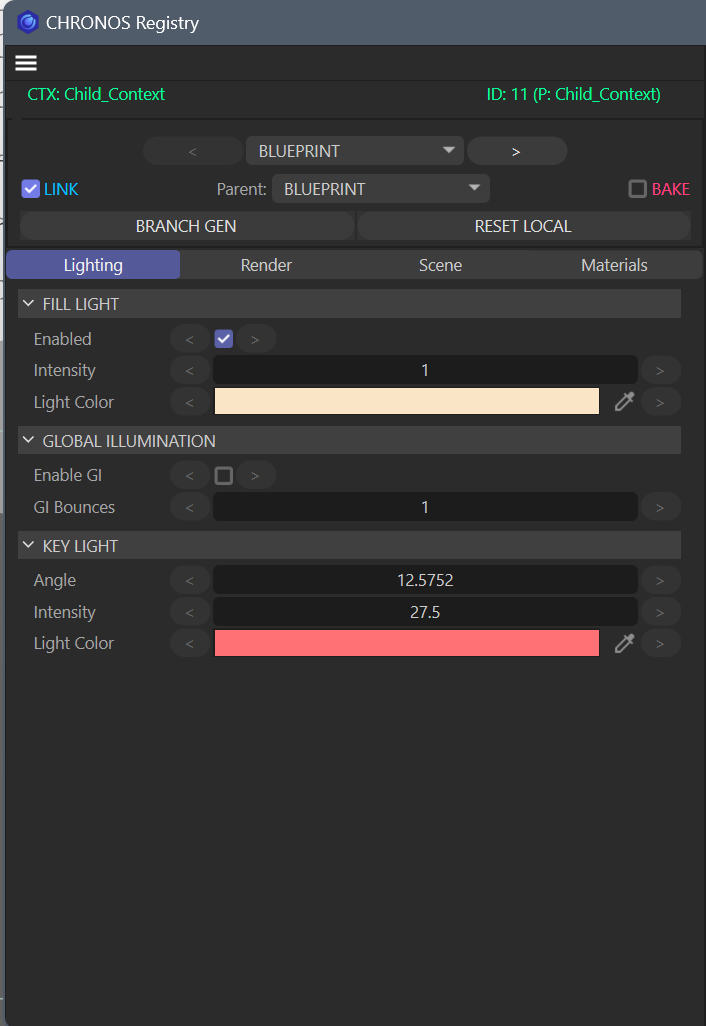 The Blueprint — immutable root Generation. BLUEPRINT shown in the picker and Parent dropdown. All Variables carry default values.
Generation Tree
The visual generation tree will be available in V3 with the standalone Flutter dashboard — it will show the full parent-child hierarchy as an interactive node graph.