Branching and Inheritance
Every variation system in CHRONOS is a tree. This page shows every shape that tree can take — with diagrams — and explains when to use each one.
The Two Inheritance Modes
Every Generation in CHRONOS has a parent and a mode. The mode determines how the child relates to that parent.
Link — Live Inheritance
A Linked Generation starts empty. Nothing is copied at creation. When a Variable’s value is read, CHRONOS walks up the parent chain and borrows the value from the nearest ancestor that has it.
Override a Variable locally — that value is stored in the child, masking the parent. Leave it untouched — the child always reflects whatever the parent holds. Change the parent’s value: every Linked child that hasn’t locally overridden it updates automatically.
The rule: A Linked Generation only stores what it explicitly overrides. One edit to a parent can propagate to an entire downstream tree.
Use for: variant families, colour rounds, any set of Generations that share a foundation and differ in specific ways.
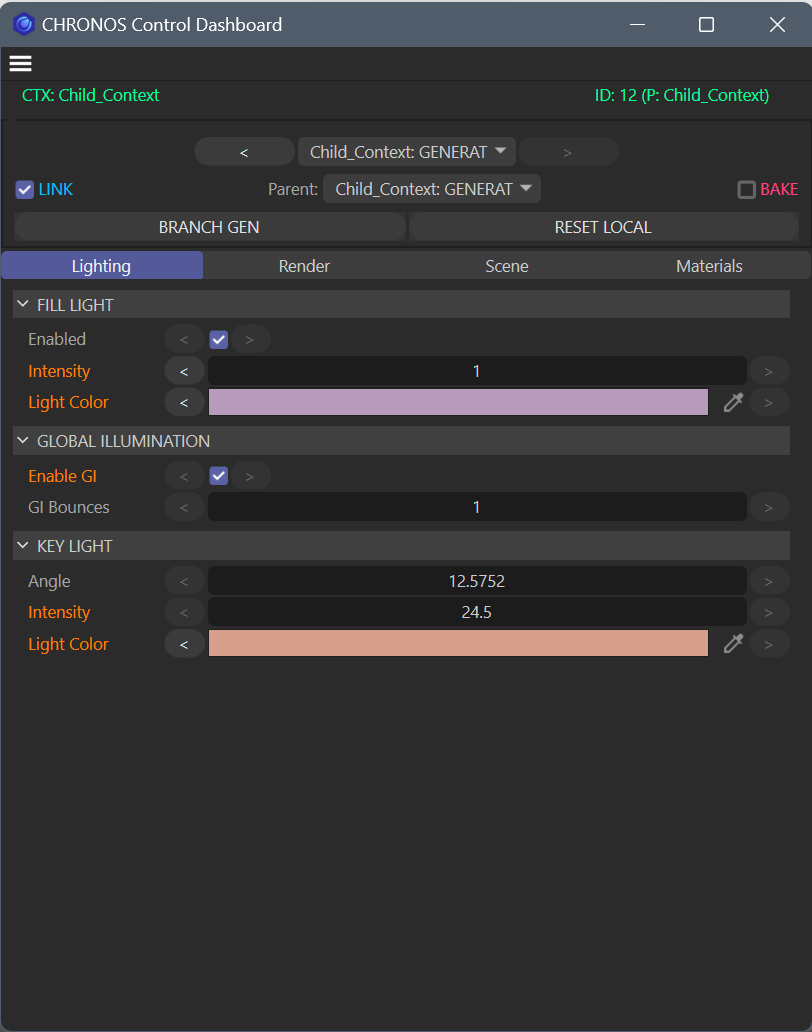 LINK checked, Parent set — orange Variable names are local overrides, plain names inherit live from the parent.
Bake — Frozen Snapshot
A Baked Generation captures the fully resolved state of its parent at creation — every Variable value, traced through the entire parent chain from the selected parent up to the nearest Blueprint or Baked root. All those resolved values are written into the new Generation permanently.
From that point it is sealed. No parent change can reach it. The inheritance chain stops here — a lineage firewall.
Use for: client-approved shots, locked deliverables, archive states, or any point where “this must never change.” Also used to create independent sub-branches within a Context.
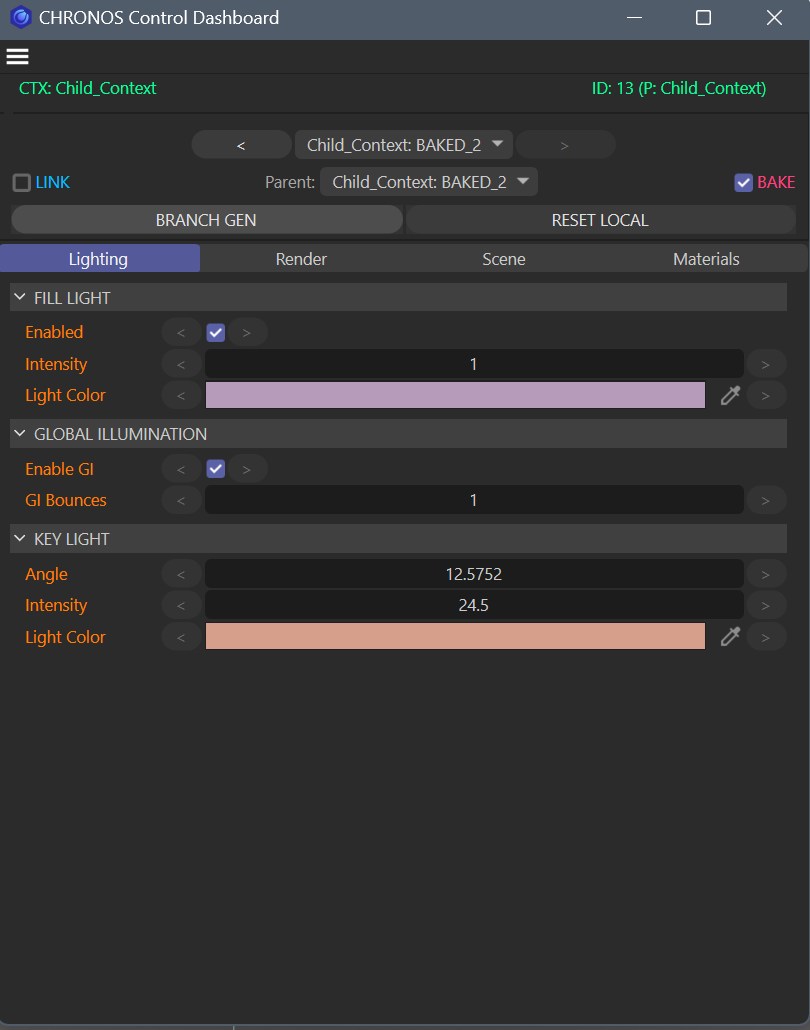 BAKE checked, LINK unchecked — every Variable holds an explicit baked-in value. The lineage firewall is active.
The Four Topologies
1 — Flat Star
All Generations link directly from the Blueprint. No children of children. Every Generation is a sibling.
When to use: Simple projects with independent variations. A change to the Blueprint propagates to all children simultaneously. Good default starting point.
2 — Linear Chain
Each Generation inherits from the previous one. A revision history — each round builds on the last.
When to use: Client revision rounds, iterative workflows where each pass builds on the last. You always know what changed between rounds.
3 — Custom Tree
Mix Link and Bake freely. A parent drives multiple live children; some children become sealed deliverables at a fork point.
Reading this diagram: Product_Line_Base drives three live colour variants — update its shared lighting once and all three reflect it. At the fork point, Colour_Gold produces Gold_Approved via Bake — that deliverable is sealed. The live Colour_Gold continues to evolve; Gold_Approved does not.
When to use: Complex projects with multiple variant families. Mix freely — no topology is wrong.
4 — Multiple Main Branches (Baked Root Workaround)
Cinema 4D’s architecture means CHRONOS V1 has one root Context — the Main Take. But you can create multiple independent variation systems within that Context by using a Baked Generation as a secondary branch root.
How this works: Branch_B_Root is created by Baking from the Blueprint at a specific moment — it captures the full state and is sealed. From that root, you can build an entire tree of Linked Generations that inherit from Branch_B_Root but are completely isolated from Main Branch A. Changes to Main Branch A cannot reach Branch B.
This is the current workaround for the V1 single-root limitation. V3 introduces native multi-root Context support.
What Happens on a Generation Switch
When you click a different Generation in the dashboard, CHRONOS:
- Walks the active Generation’s parent chain — collecting the resolved value for every Variable at each level
- Stops at the nearest Baked Generation or Blueprint (the lineage firewall)
- Applies all resolved values to the scene in one controlled pass — no partial states, no flickering
The result: an instant, clean state switch. No undo required. The history of every Variable is preserved.
Forward Rollback
If you’ve overridden a Variable in a Linked child and want to return it to the inherited value, CHRONOS does not delete the override. It performs a Forward Rollback:
- Resolves the current inherited value from the parent chain
- Writes that resolved value explicitly into the child as a new historical entry
- History always grows forward — nothing is erased
“Revert” is just another write. You can always reconstruct the full history of any Variable in any Generation.